Your first find
This tutorial takes you from opening the app to your first logged find. You need your callsign and a phone with a web browser. At the end your find is in the cache's logbook, with a badge that says how it was verified.
Before you start
- Your amateur-radio callsign.
- A phone with a web browser and location turned on. A computer works for the first steps, but you log at the cache.
- The address of your instance: aprscaching.net, or the address your club gives you.
Steps
Sign in
- Open the address in your browser. The front page opens.
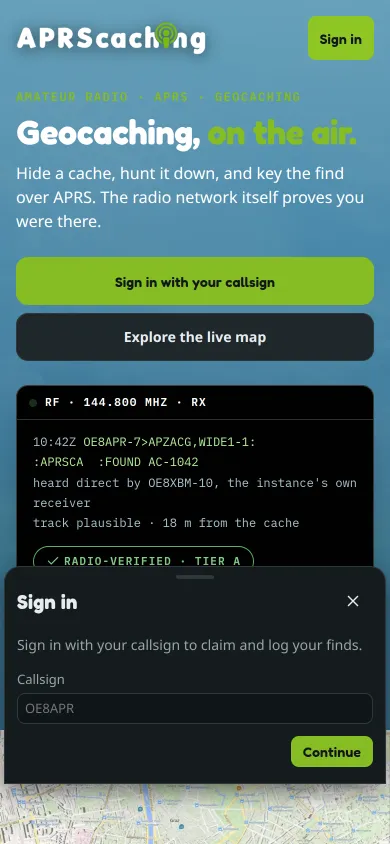
- Tap Sign in with your callsign, or Sign in in the top bar. The sign-in sheet opens.
-
Type your Callsign and tap Continue.
-
Tap Create account with a passkey. Your phone asks for your fingerprint, face or PIN, and stores the passkey. There is no password. You can tap Email me a link instead.
The map opens. Your callsign shows in the top bar, marked unverified.
Verify your callsign
- Tap More, then You, then Verify callsign. On a computer, You is in the left rail. Settings → Account opens.
- Tap verify next to your callsign and follow the steps. The usual way is a short APRS message from your radio. Verify your callsign explains every method.
You can log finds before this step. A verified callsign puts your finds on the leaderboard and lets you log from your radio.
Choose your cache
-
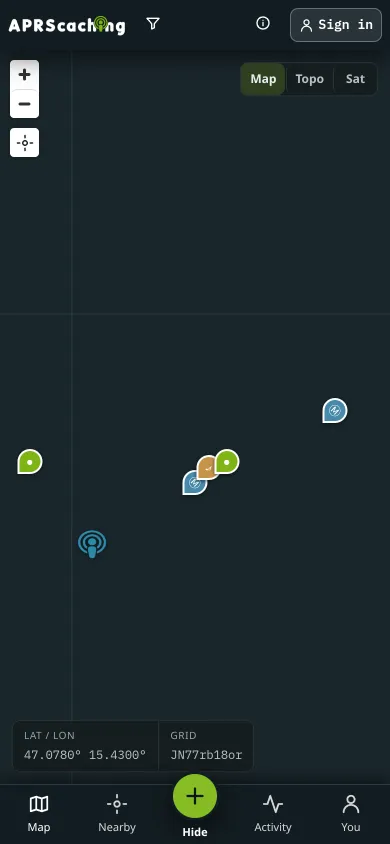
Tap Map and move the map to where you are.
-
Tap Nearby, then Use my location. The list shows the caches closest to you, nearest first.
-
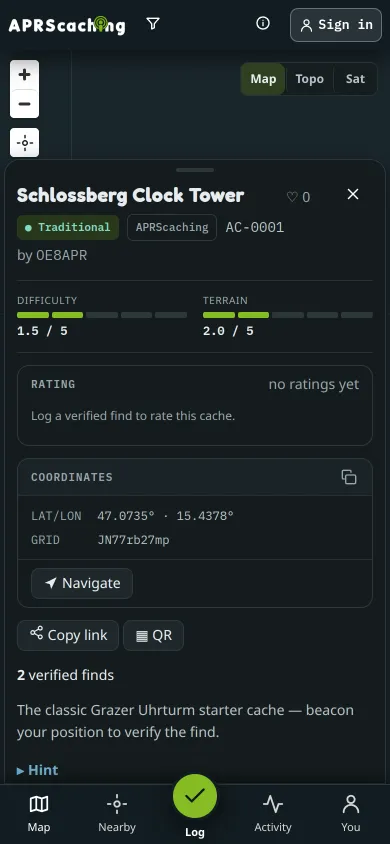
Tap a cache. Its sheet opens with the description, Difficulty, Terrain and the Hint.
-
To get there, tap Navigate and choose a map: Maps app (your phone's own), Google, Apple or OpenStreetMap. For the last stretch on foot, tap Find: the arrow points at the cache and shows how far it is.
Log the find
- At the cache, open its sheet again and tap ✓ Log a find. The button shows Locating… while the phone gets a fix.
- Tap Allow when the browser asks for your location. The phone's reading is what verifies your find.
The result card opens. It shows Logged, a badge such as Location-verified, and one line that says why.
Check that it worked
- The result card shows a badge. Radio-verified or Location-verified means the find counts as verified. Logged means it is on record, but nothing placed you at the cache.
- Scroll down the cache sheet to the Logbook. Your callsign is at the top.
- If the card says Saved and offline, your phone had no signal. The find syncs when the signal returns.
If the badge is Logged, the line under it says what was missing. How finds are verified has tips.
Next
- Log a find: DNFs, notes, and logging from your radio.
- Cache types: what else you can hunt.