The Shack at a glance
The Shack is the radio side of APRScaching: packet-radio apps that run in your browser and drive a radio connected to your own computer. This page is for operators who know APRS, TNCs and packet; it shows what each app does and where to read more.
A laptop and a radio are a complete station, even with no internet: the apps talk to a USB or Bluetooth TNC, or to the soundcard, straight from the browser. Open the Shack from Shack in the left rail (on a phone: More → Shack). Each app opens its own screen. The pin button next to an app, or next to a tool inside Tools, puts it on the left rail; on a phone, pinned apps and tools are in More.
Your journey
- Your radio in the browser: connect a TNC, a Mobilinkd or a soundcard.
- The live map: stations, spots and MeshCom nodes as they are heard.
- Packet terminal & BBS: connect to nodes, read and send mail.
- Tools and plugins: install tools from the registry to decode packets, CW and PSK31, and more.
- Messages over APRS and MeshCom: read, send and acknowledge messages.
- Rig control & weather: tune your radio, report your weather station.
- On-air etiquette and rules: before you transmit.
The apps
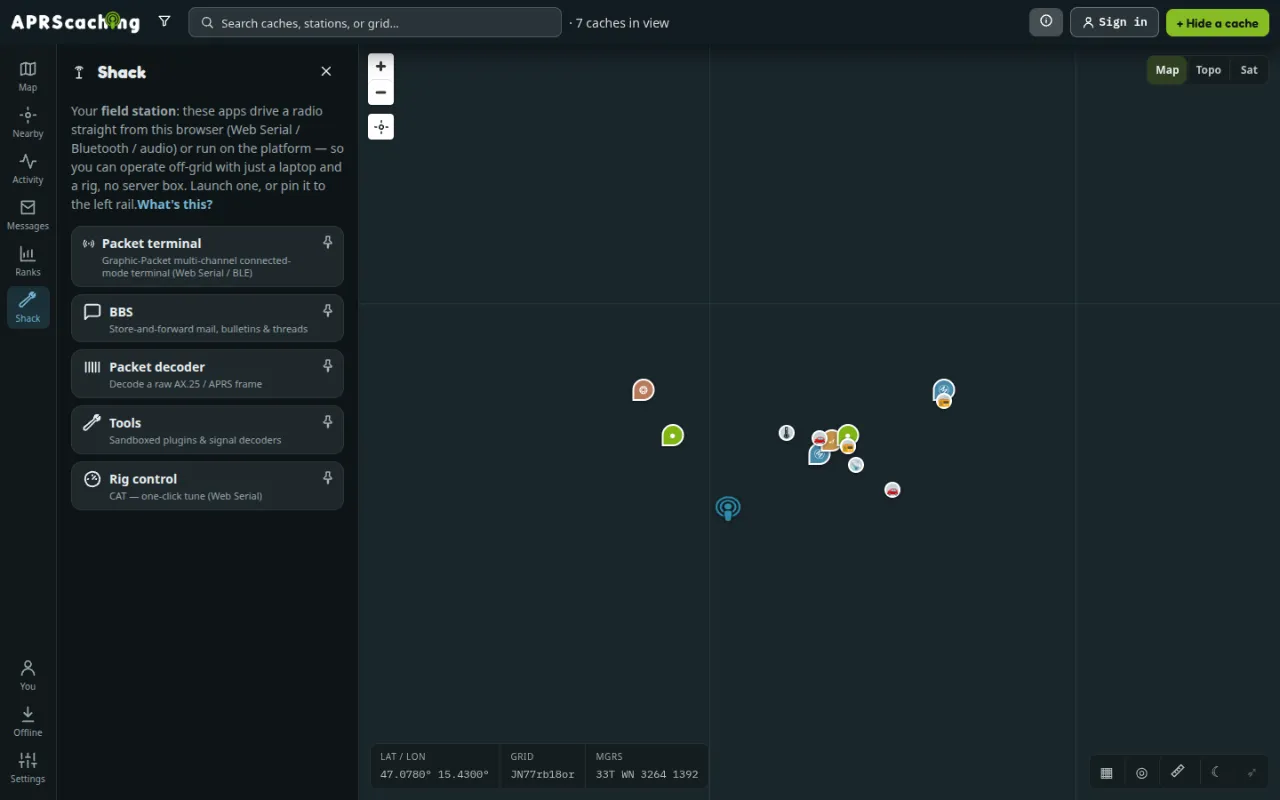
| App | What it does | Who | Read more |
|---|---|---|---|
| Packet terminal | A multi-channel connected-mode terminal: connect to BBSes, nodes and other stations over a KISS TNC on USB or Bluetooth. | everyone | Connect to a BBS or node |
| BBS | Store-and-forward mail, bulletins and threads on the instance's BBS. Bulletins are open to everyone; your mail needs you signed in as your callsign. | everyone | Use the instance's BBS |
| Tools | Signed plugins you install from a registry: the packet decoder for raw APRS and AX.25 lines, CW and PSK31 from your microphone, macros, panels and more. Each tool can be pinned to the rail. | everyone | Tools and plugins |
| Rig control | Tune your radio over USB (CAT). | everyone | CAT rig control |
| NET/ROM node | The instance's node: routing table, digipeater, sysop console. | sysop | Packet: BBS & NET/ROM node |
| Remote box | Send commands to the instance's ingest box without opening a port on it. | sysop | Remote control of your box |
The last two apps manage the instance's always-on station, so only its sysop sees them.
Three things live outside the launcher:
- Settings → My radio (browser): receiving, forwarding and transmitting APRS with your own radio (Your radio in the browser).
- Messages in the left rail: the APRS and MeshCom messages the instance hears (Messages over APRS and MeshCom).
- Search & filter → Live layers on the map: live stations, MeshCom nodes and activity spots (The live map).
CW and PSK31 by ear
- Open Shack → Tools and install PSK31 + CW decoders from the Registry list (Install a tool).
- Under Decode, pick CW (Morse) or PSK31, select Listen (mic) and allow the microphone.
- Hold your phone or laptop to the radio's speaker, or connect the radio's audio output to the line-in.
CW (Morse) and PSK31 appear as text while you listen. The decoders follow slightly off-tune and noisy signals, and everything runs in the browser. Stop ends it.
Tools and plugins
Tools runs the tools you install, from the Registry list or by a tool.json address; the app ships with
none. The project registry, which comes with every instance, lists the packet decoder and twenty-three other tools.
Each tool runs in a sealed sandbox with only the permissions you approve, the install prompt says who signed it,
and your installed tools follow your account. Tools and plugins lists the project's tools, explains
every permission and trust label, and shows how to pin, switch off and remove a tool.
Next
- Your radio in the browser: connect your radio first.
- On-air etiquette and rules: before you transmit.